WareCore Product Tour
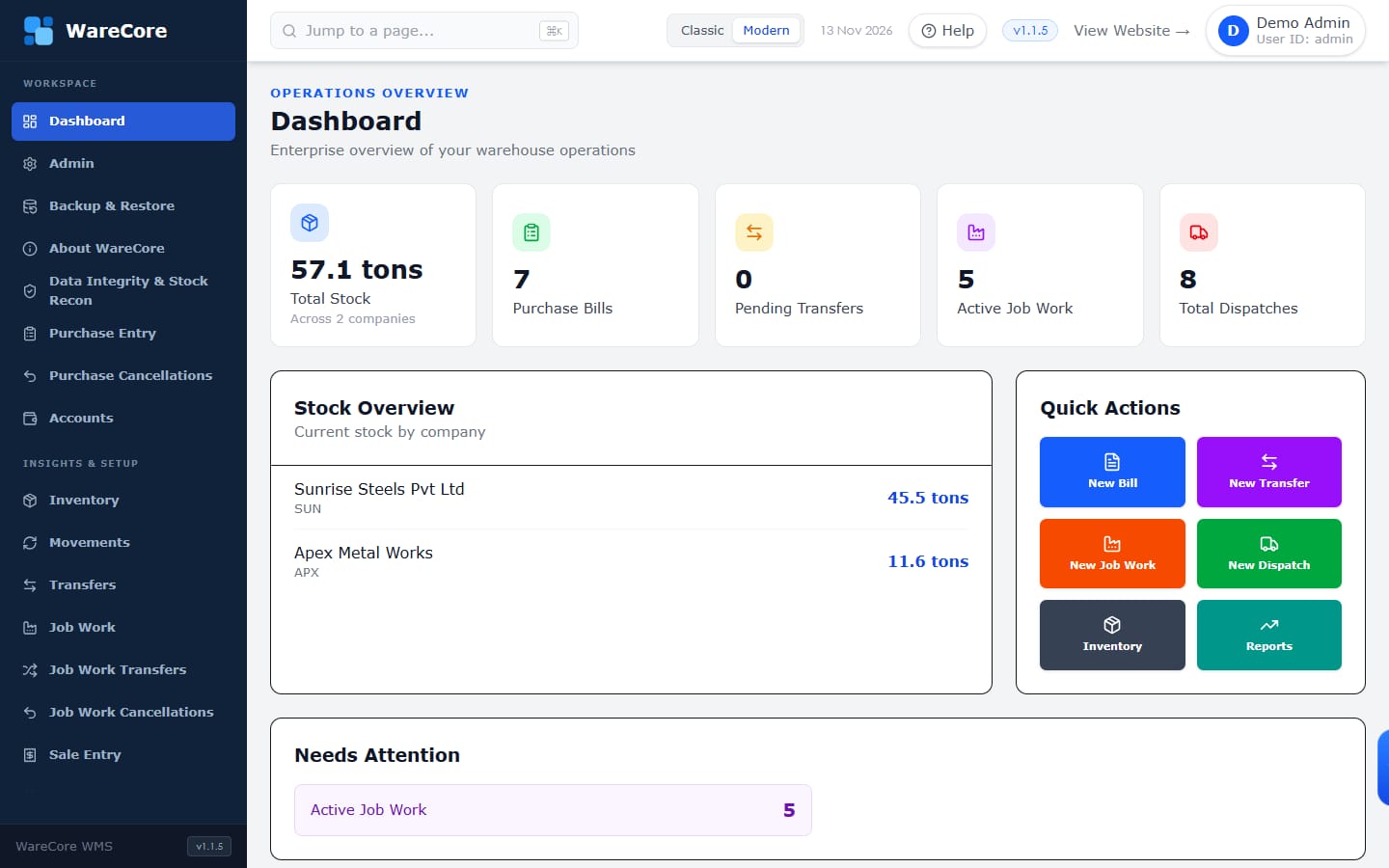
Know where every tonne of steel is — in your yard or at your vendor
Purchases, stock, job work, vendor transfers and sales for steel traders and processors, in one system that always balances.
WareCore Product Tour · 1 / 17
Product Tour
Use the arrow keys or swipe to move between slides.
Slide 1 of 17
WareCore Product Tour
Purchases, stock, job work, vendor transfers and sales for steel traders and processors, in one system that always balances.
WareCore Product Tour · 1 / 17
The challenge
Steel businesses rarely keep stock in one place. A typical week looks like this:
01
Sister companies buy, store and sell from different warehouses — and lend material to each other.
02
Coils go out for slitting, cutting or galvanizing. Some come back, some move to the next vendor, some are sold straight from the vendor.
03
Bills get cancelled, quantities get edited, customers return material. Each change must flow through to stock.
04
Stock statements and vendor balances disagree, and nobody can say which entry caused it.
WareCore Product Tour · 2 / 17
How WareCore works
Every screen posts to the same stock ledger, so every report reads the same numbers.
Enter bills or import them from Excel. Each line gets a traceable Purchase Line ID.
Stock lands in the right company and warehouse, by item and size.
Send material to vendors, record outputs and returns, move it between vendors.
Sell from the warehouse or straight from a vendor. Returns go back into stock.
Cancel or edit anything and the stock moves with it — with a full record of who changed what, and when.
WareCore Product Tour · 3 / 17
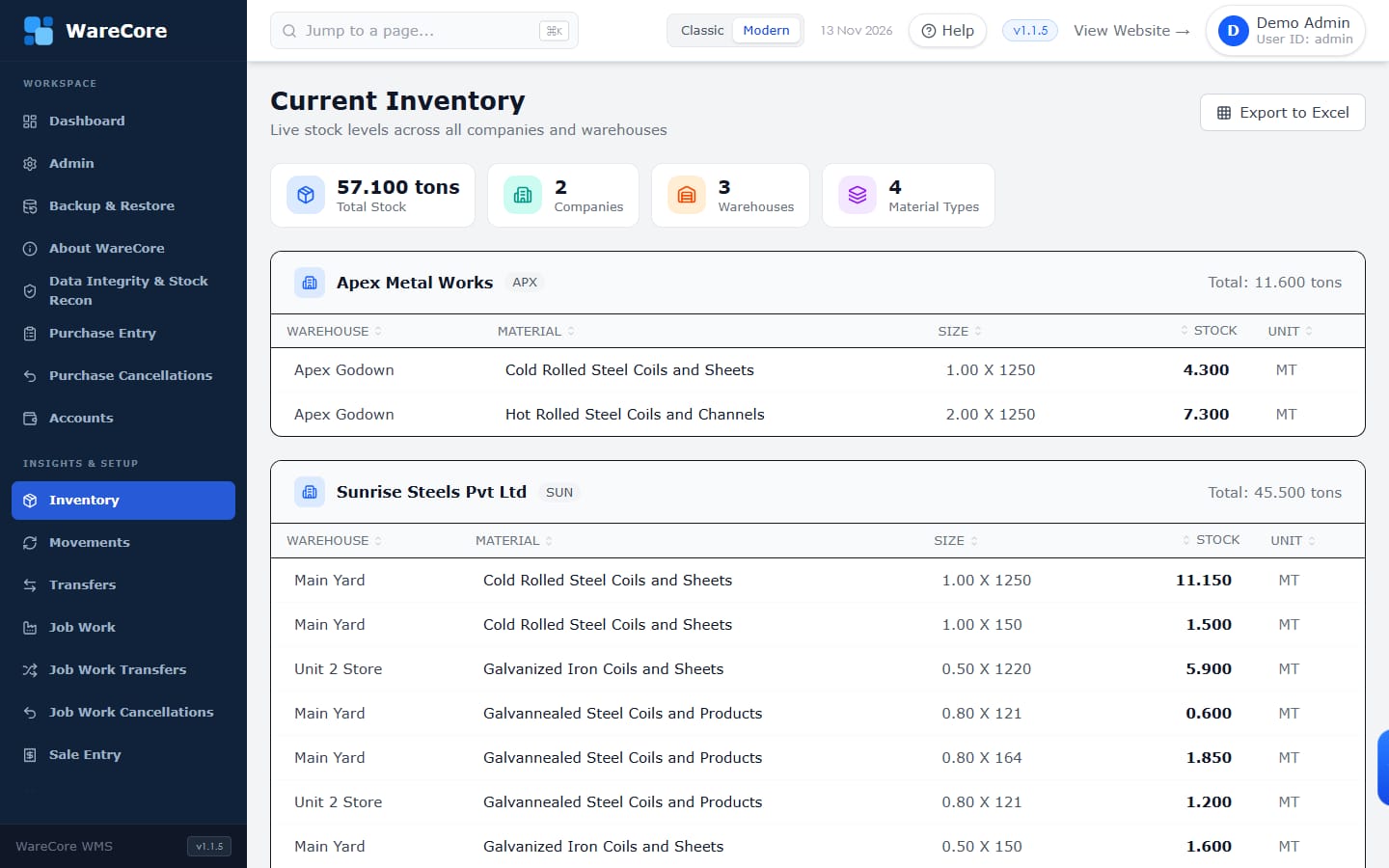
Live inventory
No waiting for month-end. The moment a bill, transfer or dispatch is saved, stock is updated everywhere.
WareCore Product Tour · 4 / 17
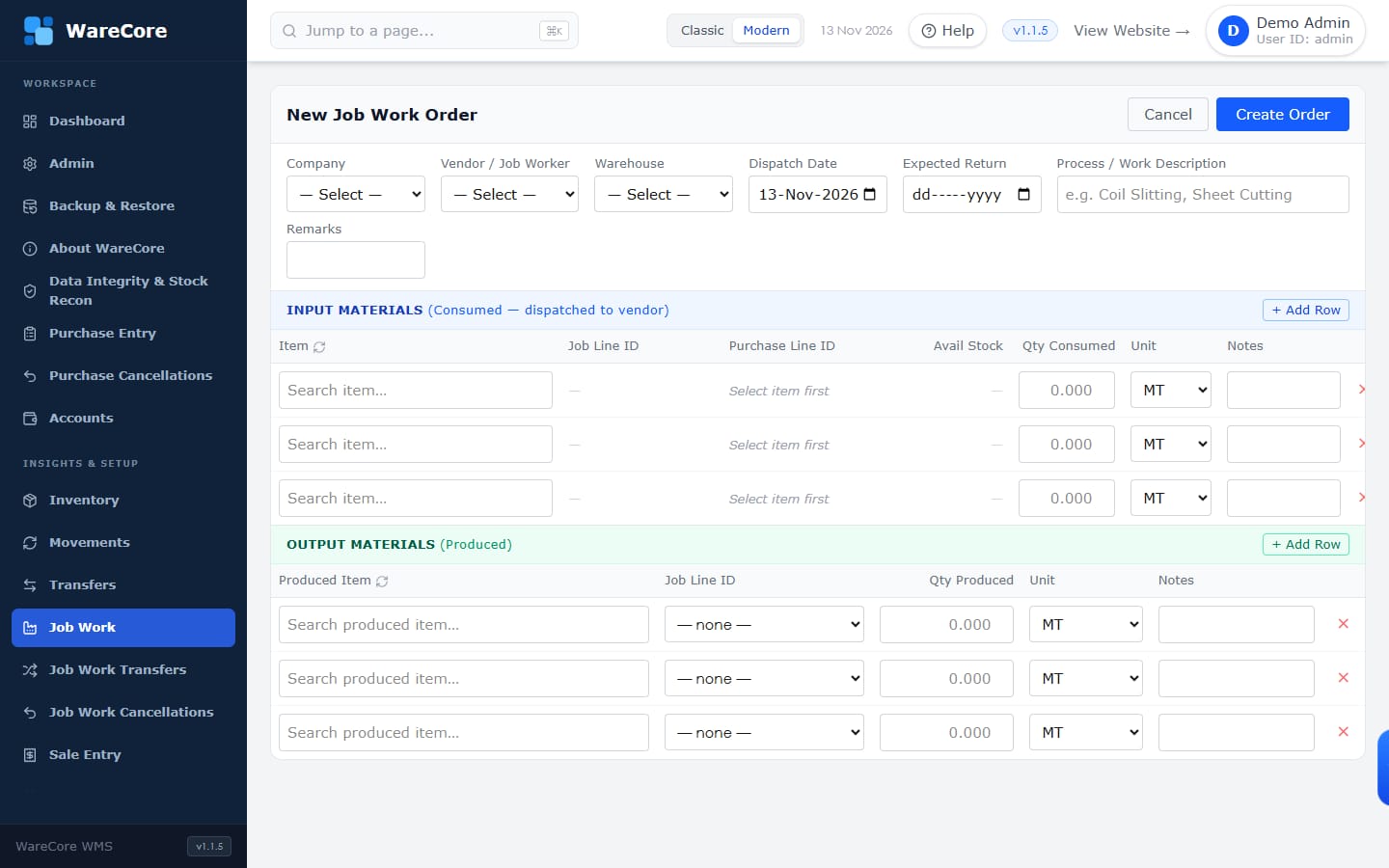
Job work
A job work order records what went to the vendor, which purchase line it came from, and what came back.
WareCore Product Tour · 5 / 17
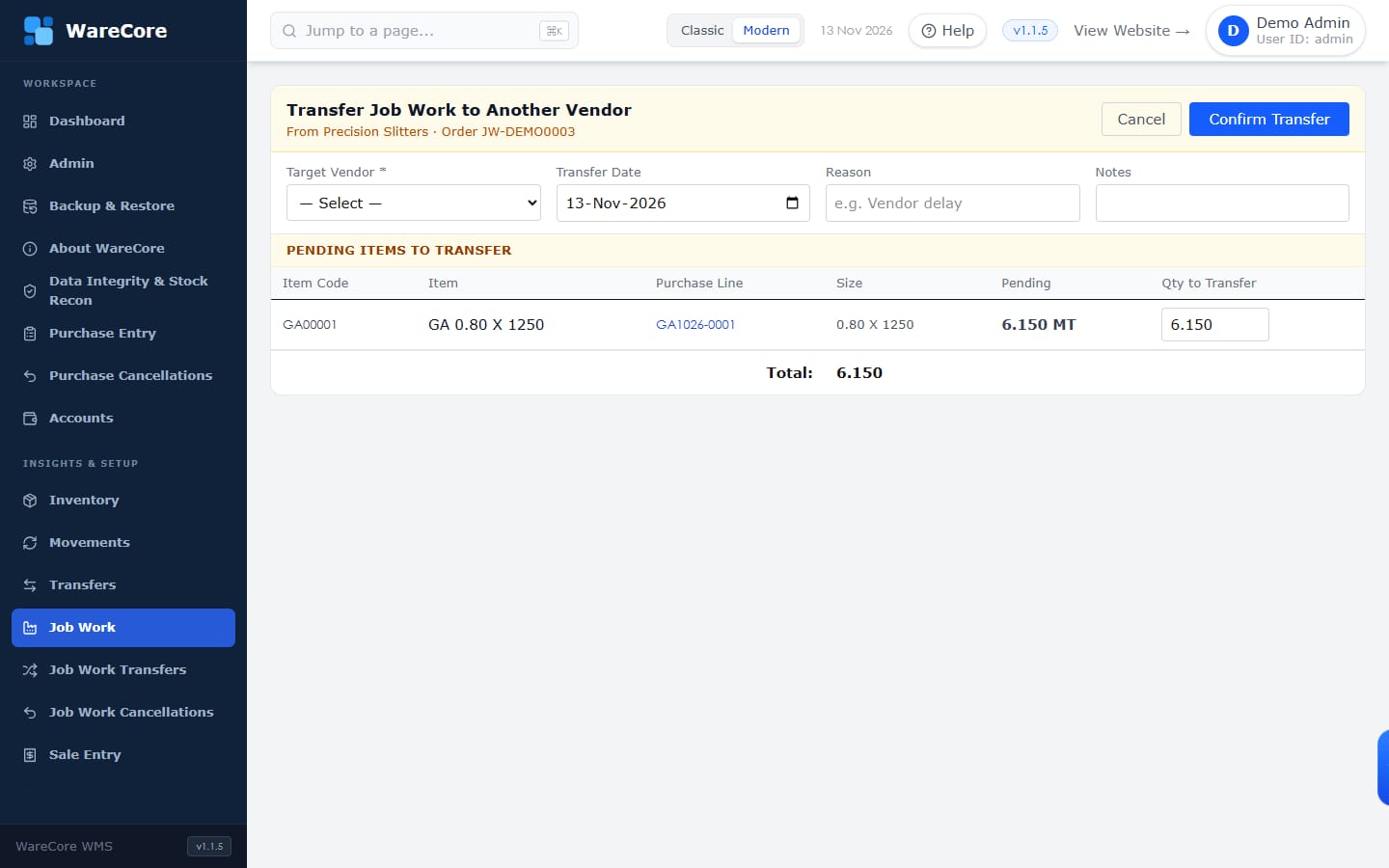
Vendor-to-vendor transfers
Slit coils going straight from the slitter to the galvanizer? Record it as a transfer — both vendor balances update together.
WareCore Product Tour · 6 / 17
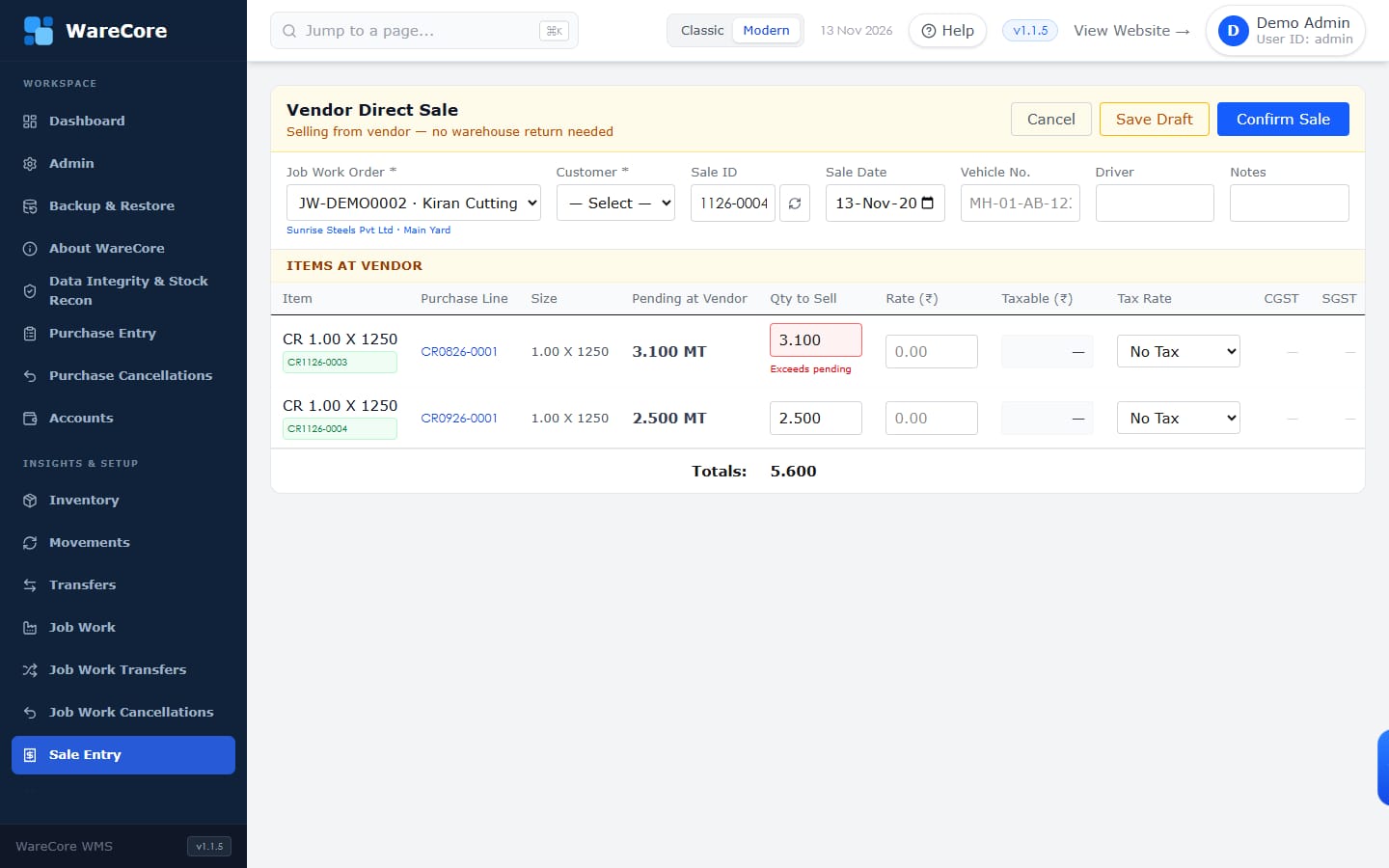
Direct sales from vendors
Customers often take delivery straight from the processor. WareCore records the sale against the vendor, with no fake trip back to your yard.
WareCore Product Tour · 7 / 17
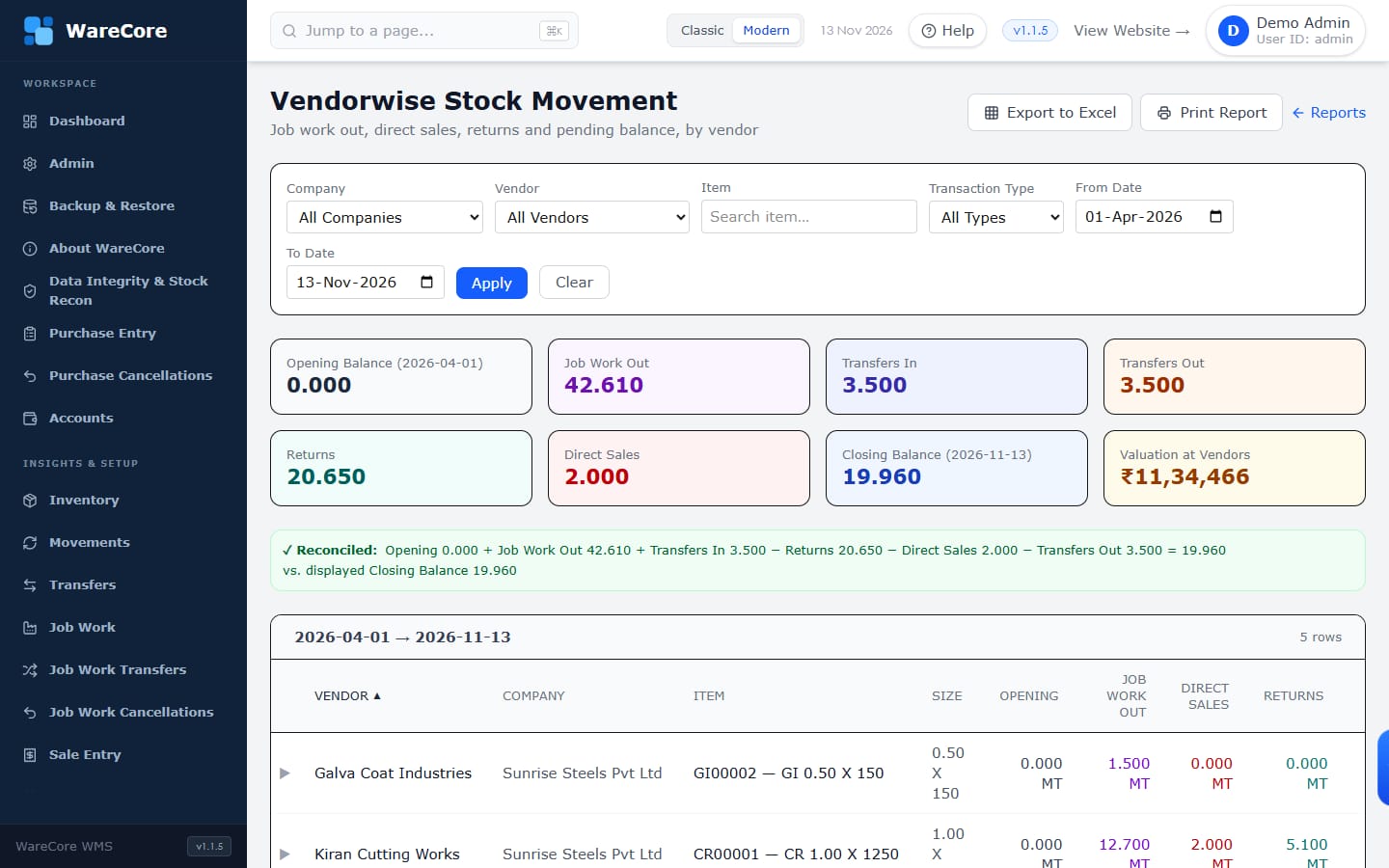
Vendorwise stock
Opening balance, material sent, transfers, returns and direct sales — per vendor and item, for any date range.
WareCore Product Tour · 8 / 17
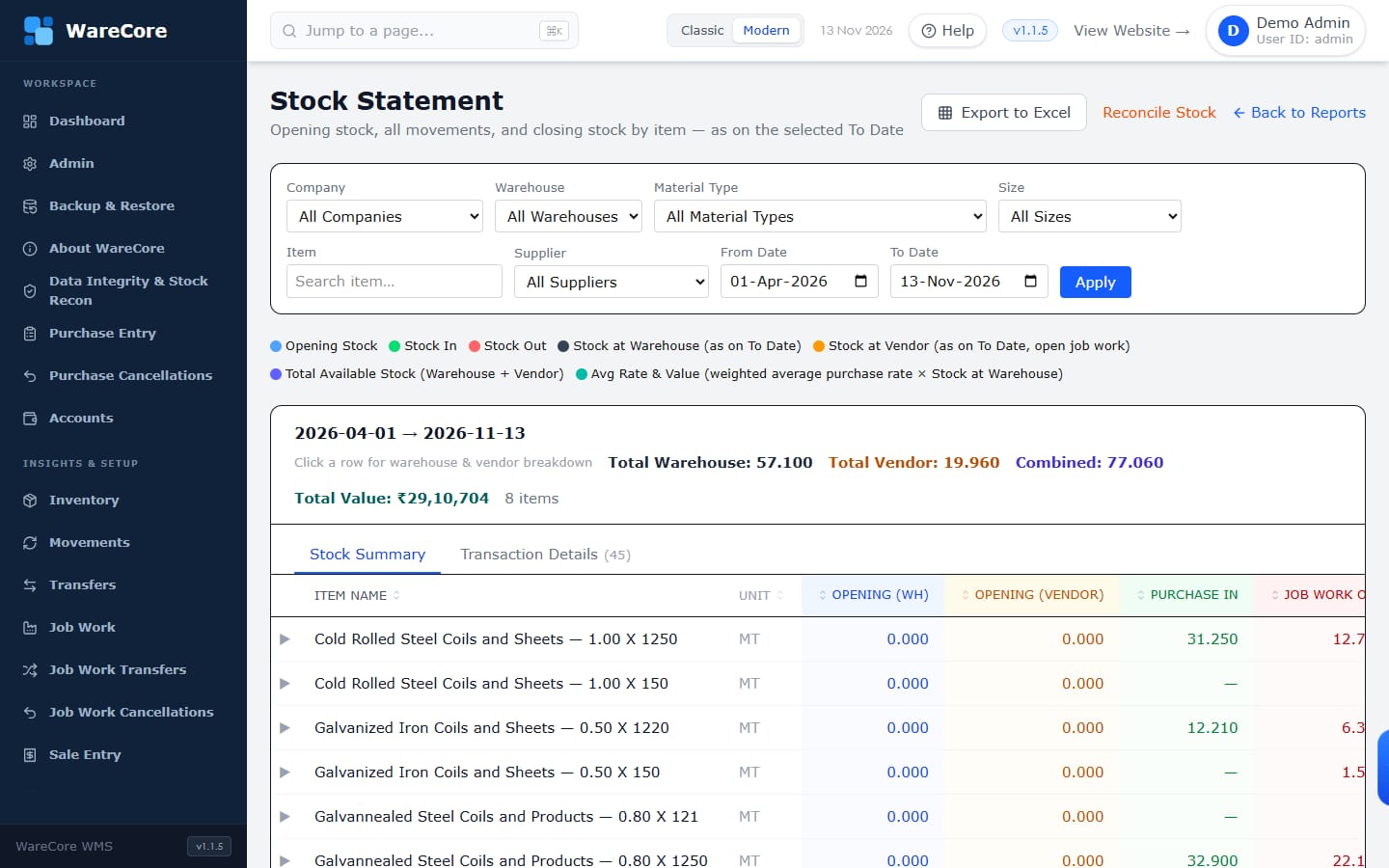
Reports
Opening stock, purchases, transfers, job work, sales and closing stock — warehouse and vendor — for any period.
WareCore Product Tour · 9 / 17
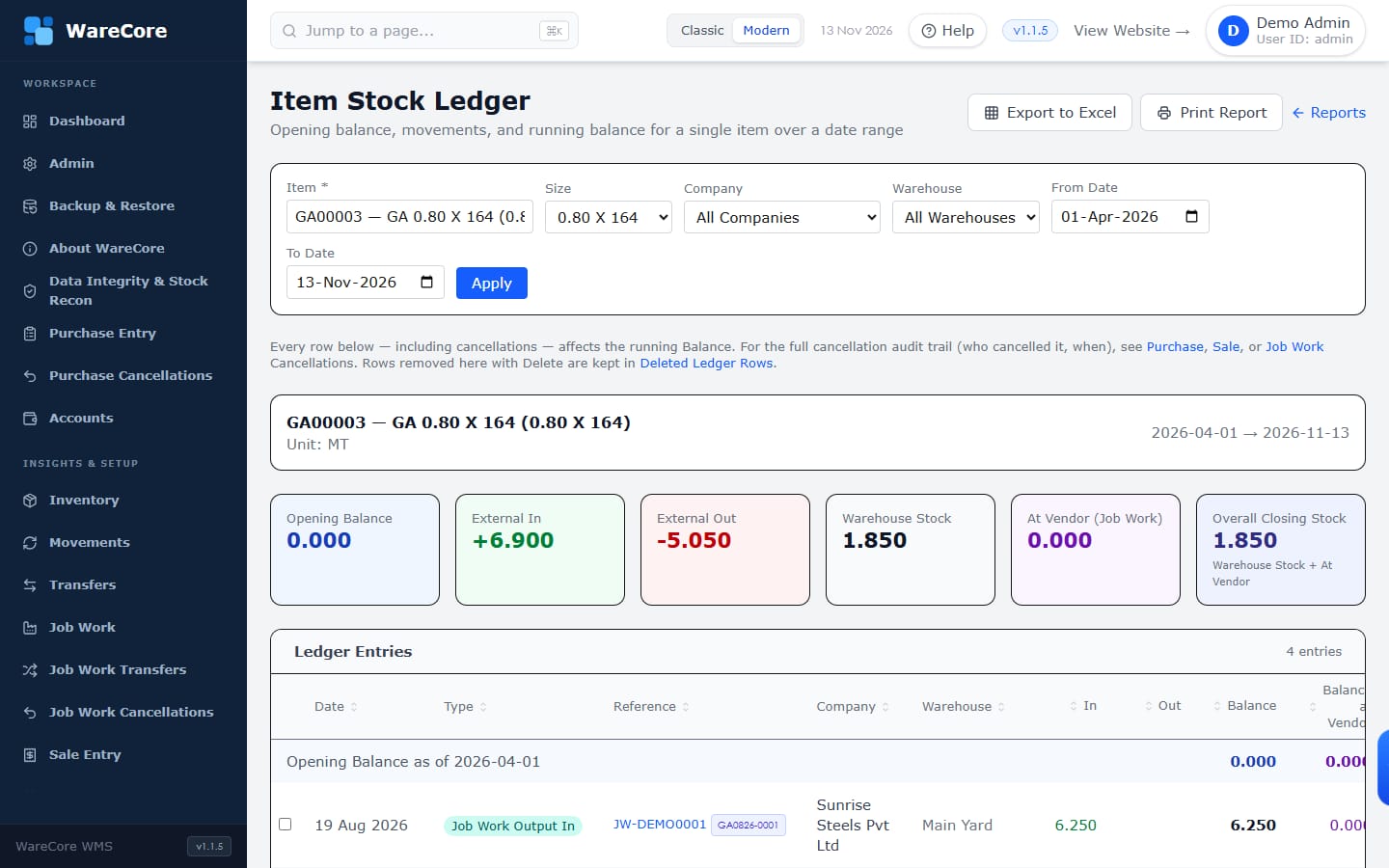
Traceability
Every movement of an item is listed with its running balance — in your warehouse and at your vendors.
WareCore Product Tour · 10 / 17
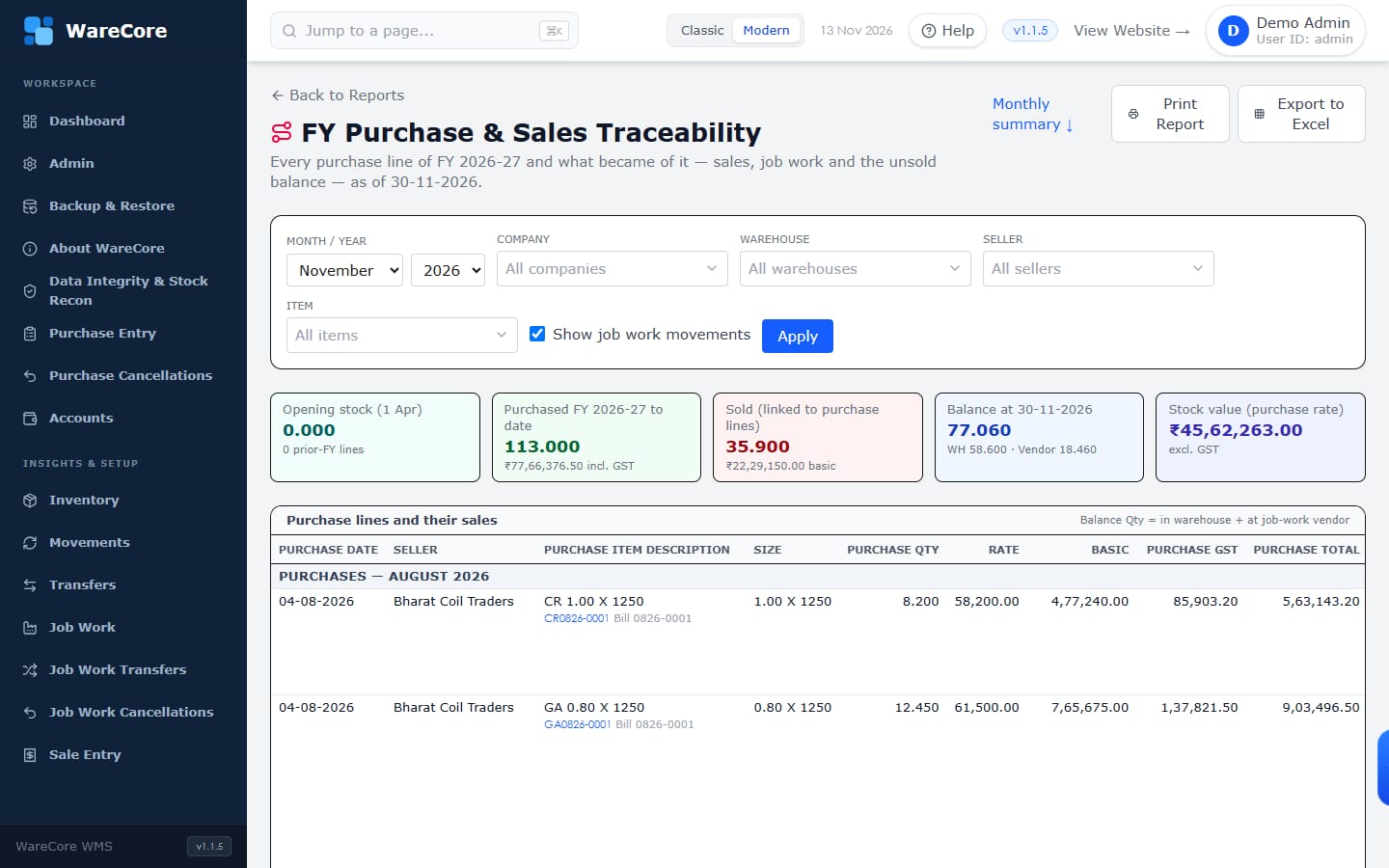
Financial year view
The FY Purchase & Sales Traceability report shows what became of every purchase line — sold, returned, at a vendor or still in stock.
WareCore Product Tour · 11 / 17
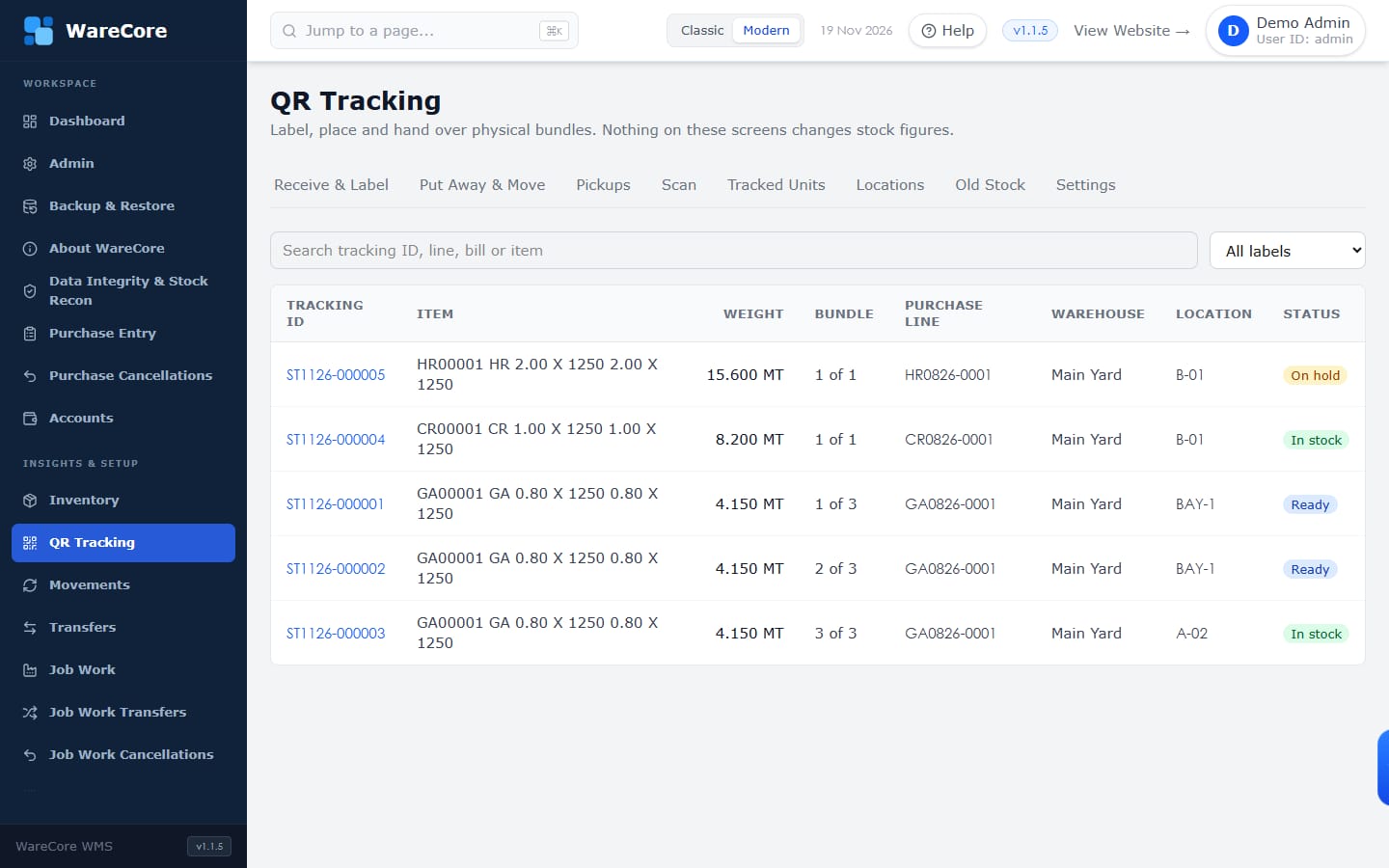
QR bundle tracking
An optional add-on, switched on per company: each purchased bundle gets its own QR label, so anyone can scan it and see what it is, where it is and what has happened to it.
WareCore Product Tour · 12 / 17
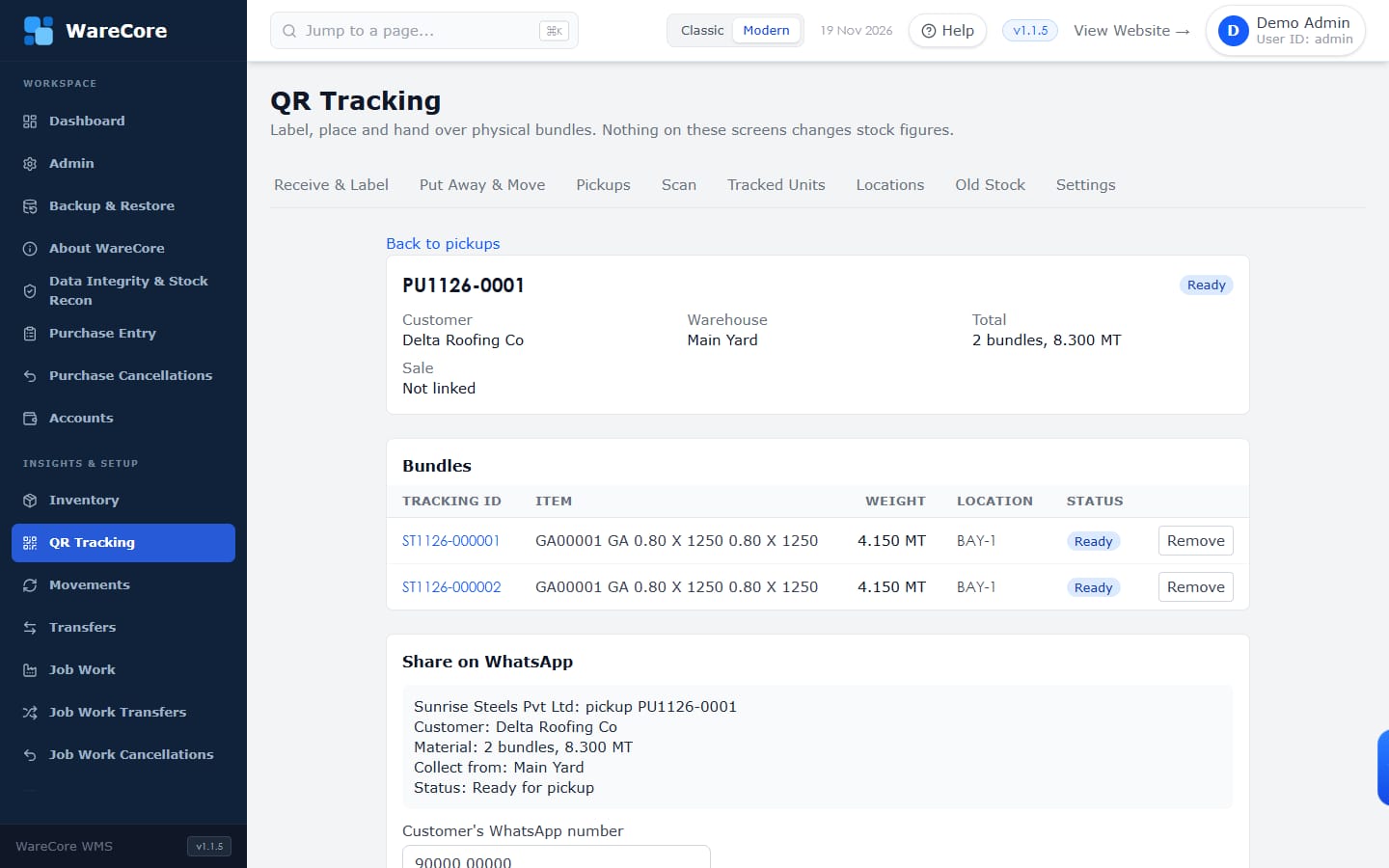
Customer pickup
Build a pickup by scanning bundles, mark it ready in the loading bay, and record who collected it — even before the sale is entered.
WareCore Product Tour · 13 / 17
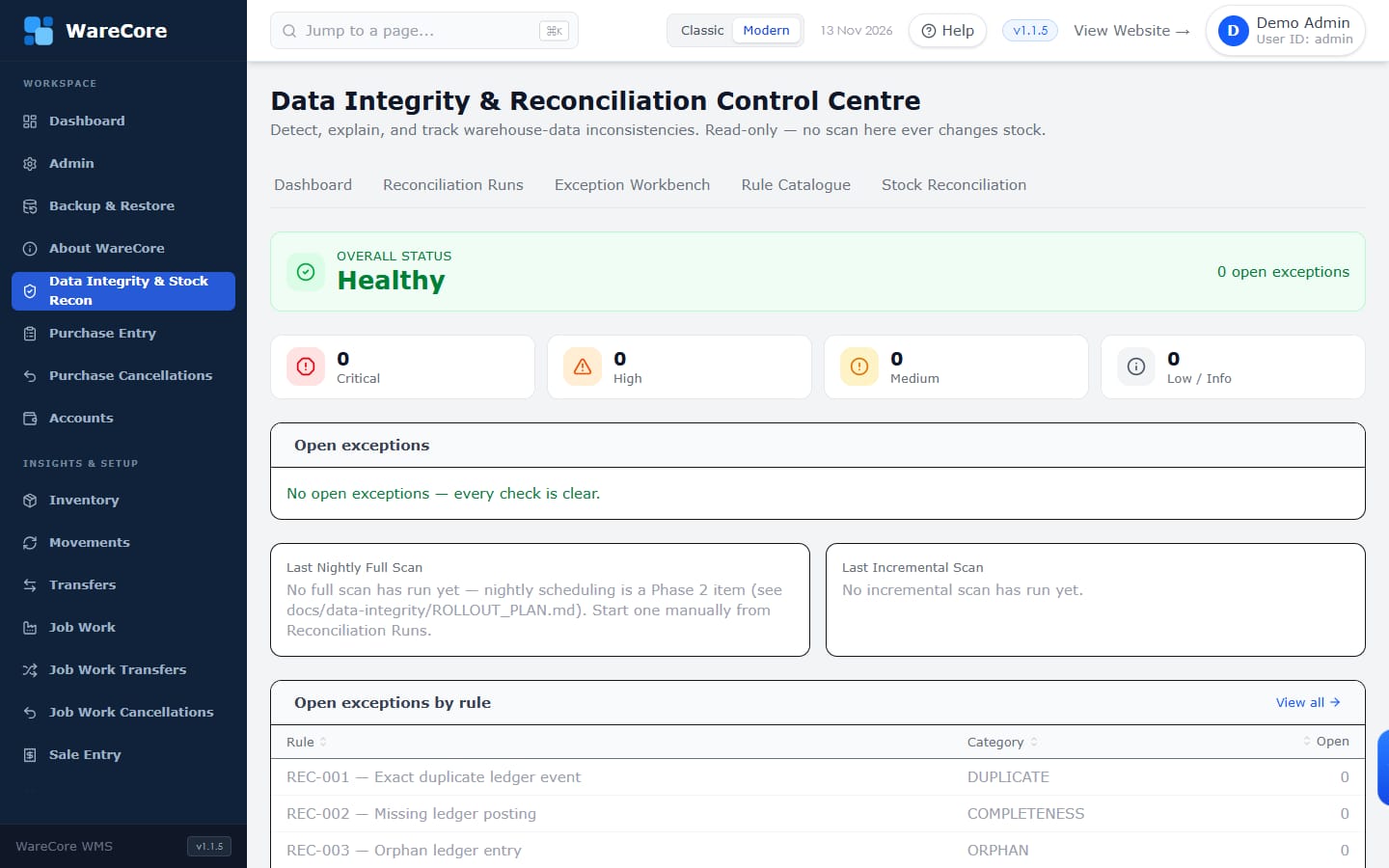
Data integrity
WareCore checks its own data against a catalogue of reconciliation rules and explains anything that does not add up.
WareCore Product Tour · 14 / 17
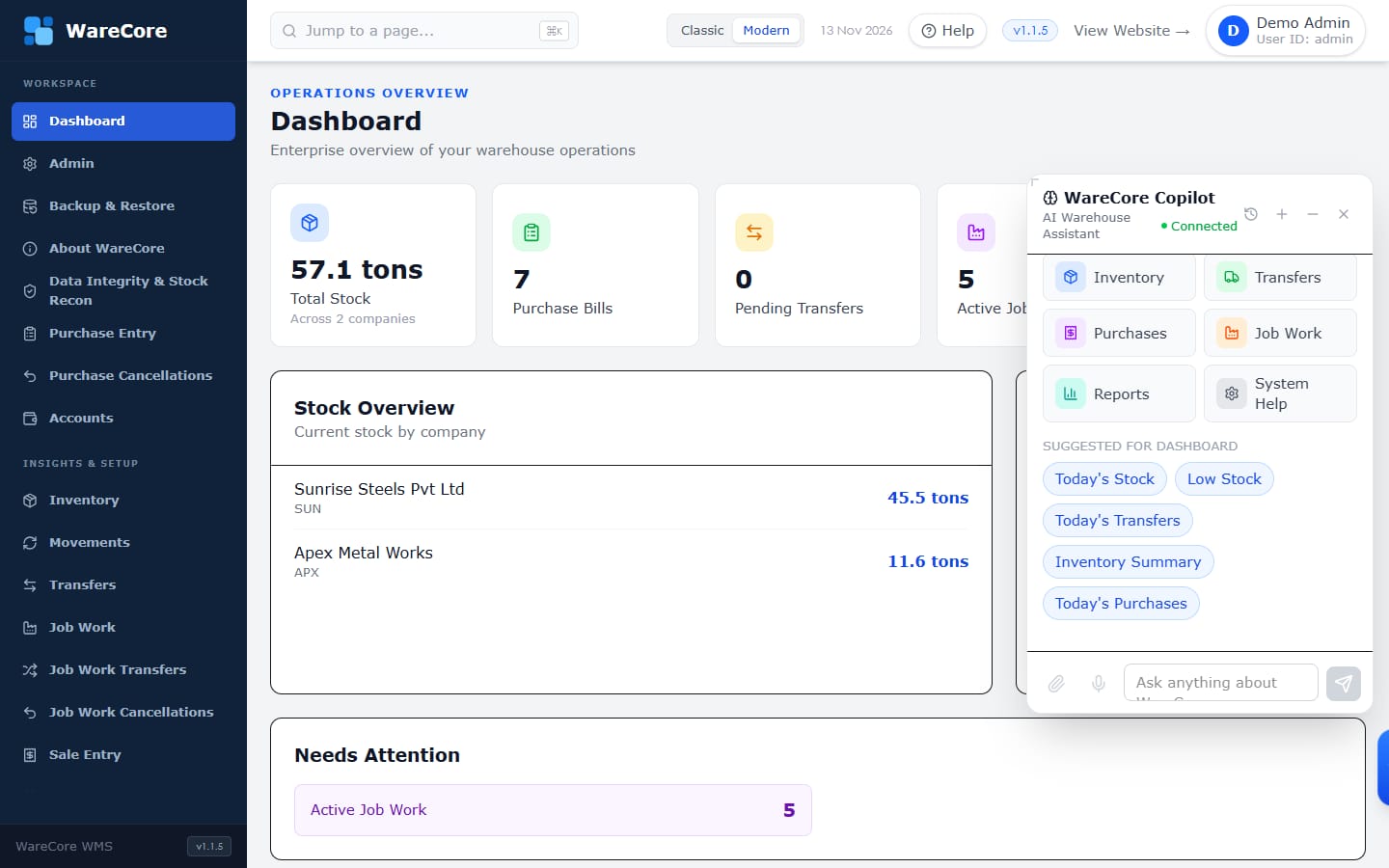
WareCore Copilot
The built-in AI assistant answers questions about items and their movements, right from the screen you are on.
WareCore Product Tour · 15 / 17
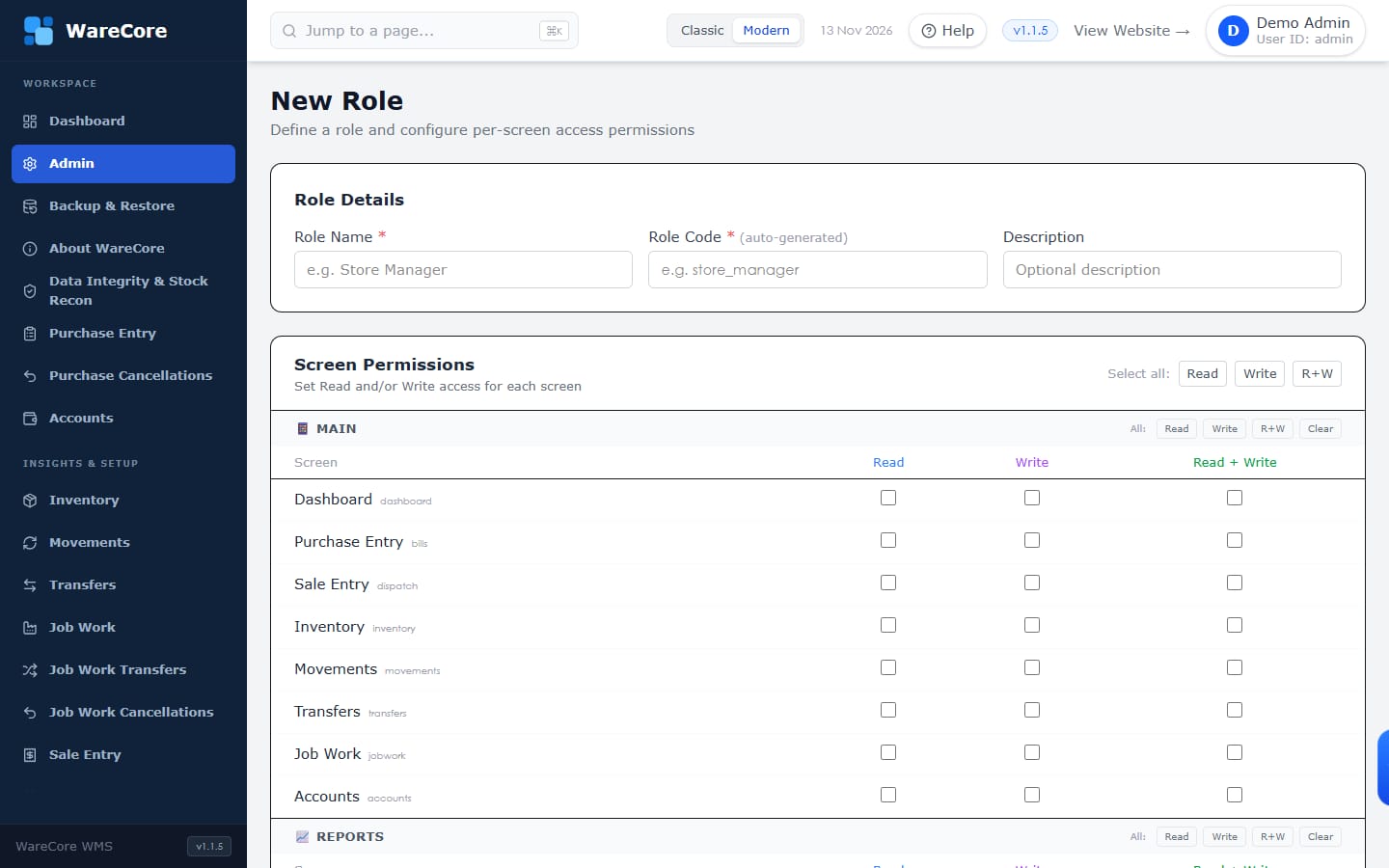
Built for your team
Owners, accountants, warehouse staff and managers each see what they need — and change only what they should.
WareCore Product Tour · 16 / 17
Next step
Tell us how your companies, yards and job work vendors are set up, and we will walk you through WareCore on a live demo.
WareCore Product Tour · 17 / 17